Updating Forest Canopy Change (FCC)
Forest Canopy change product are subdivided into two, namely the Reference and the Annual products. For the end users to visualise the products in TroFMIS, they products require annual updating just as Forest Canopy Products. To update and upload the products, please follow the steps as illustrated below.
Updating Annual and Refernce Products
Click the Raster link as illustrated below, and populat the form accordingly
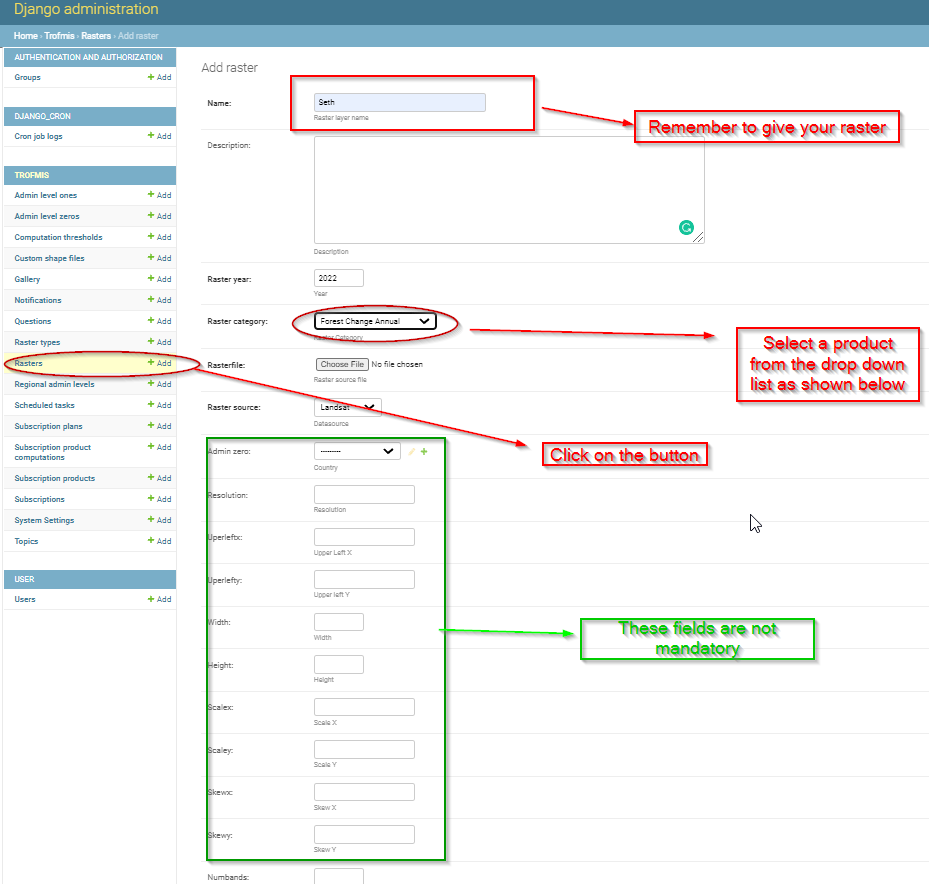
Please remember to save the process after completion of step 1 above.

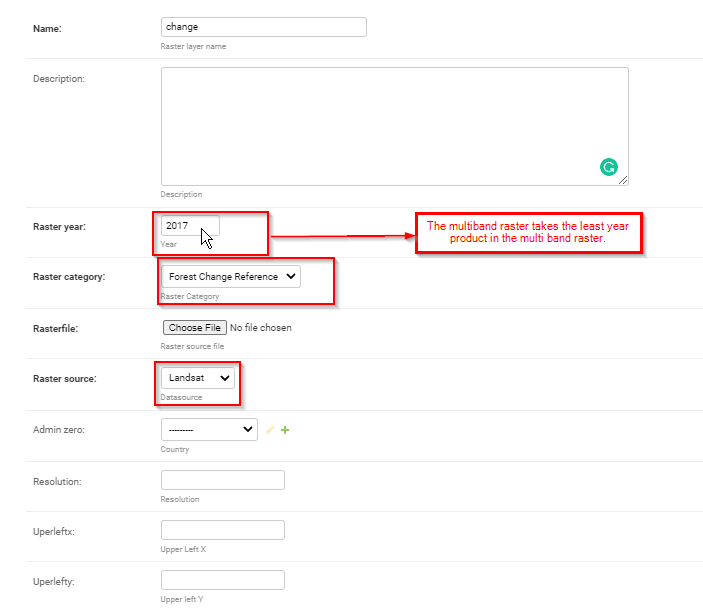
Repeat the process for updating and uploading the Reference product in django admin. Both the forest change raster are apploaded as multiband raster to the system, and the system year takes the least year in the bands. For instance, uploading 2017 - 2020 forest changes, the django admin takes 2017 as the least year for computation of the progreeive products per year as illustrated below.